> ## Documentation Index
> Fetch the complete documentation index at: https://docs.westyx.cloud/llms.txt
> Use this file to discover all available pages before exploring further.
# Create a config
> Add a typed configuration value to your service.
Configs are key-value settings - database hosts, API base URLs, timeout values, and anything else that should vary per environment without a code change. Unlike secrets, configs are not encrypted and are available to both backend and frontend services.
## Steps
Navigate to your project, click on your service, and select the **Configs** tab.
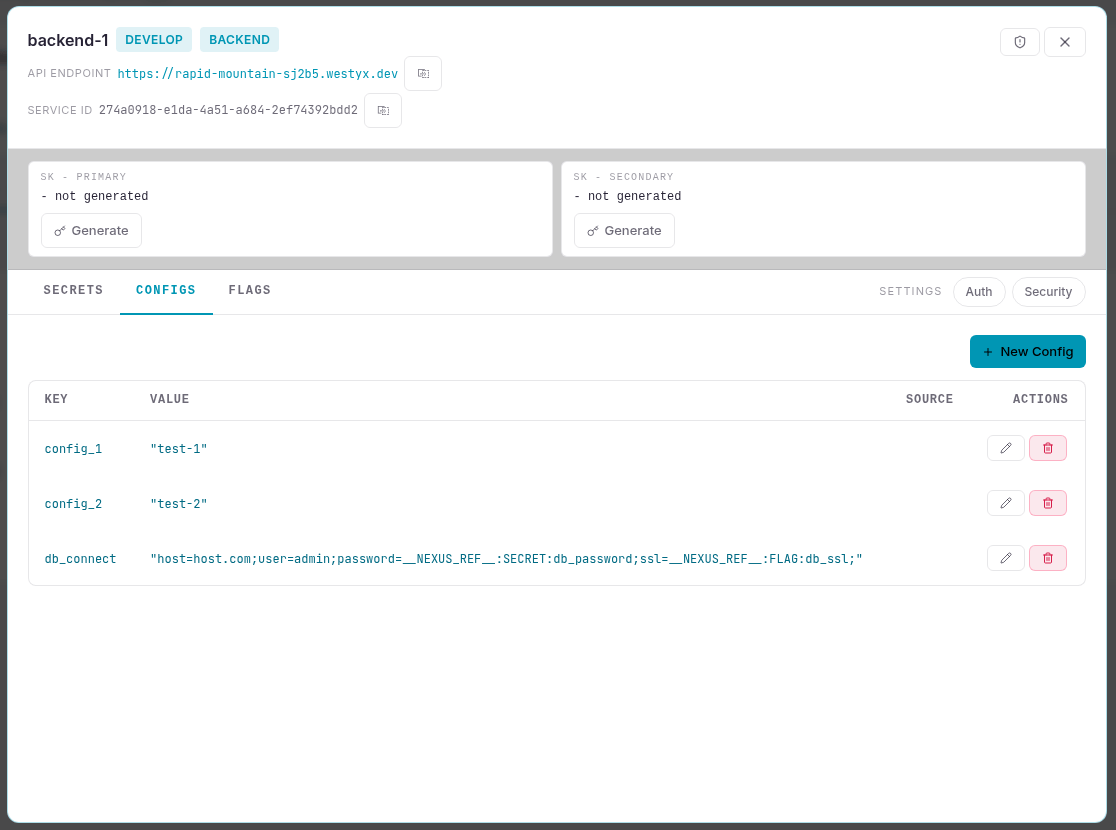
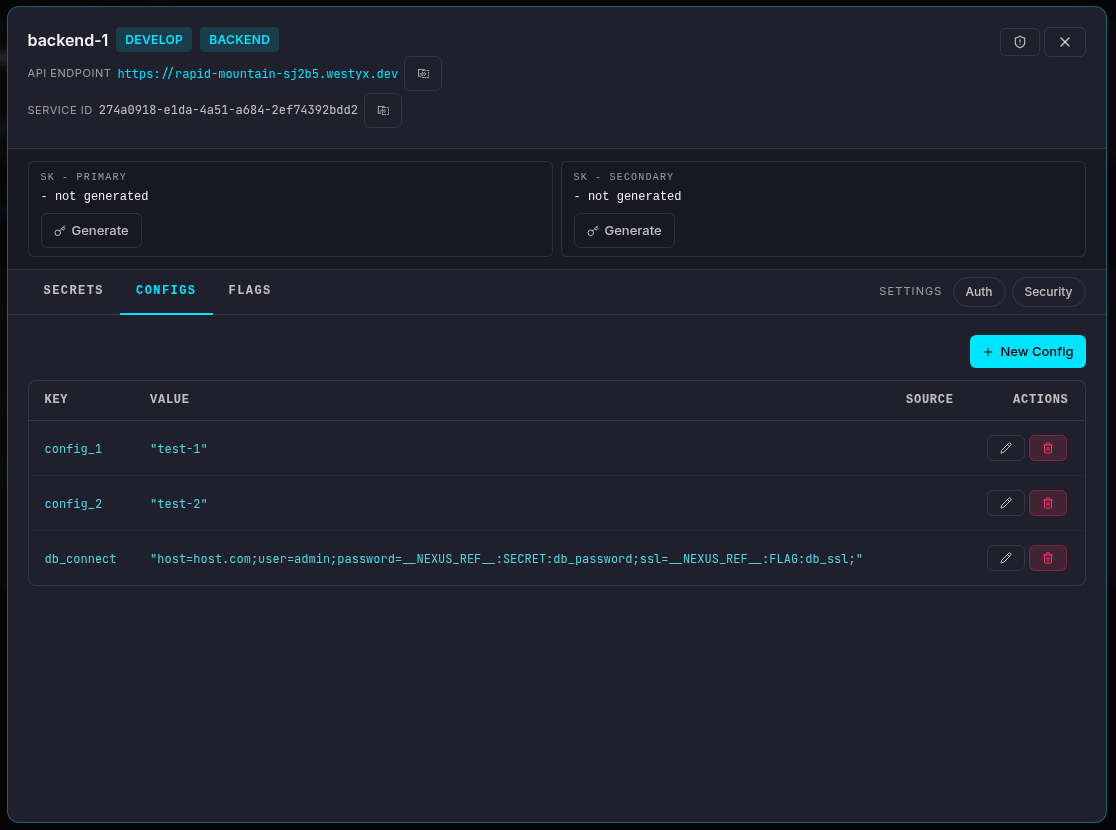 Click **+ New Config**. A form appears at the top of the list.
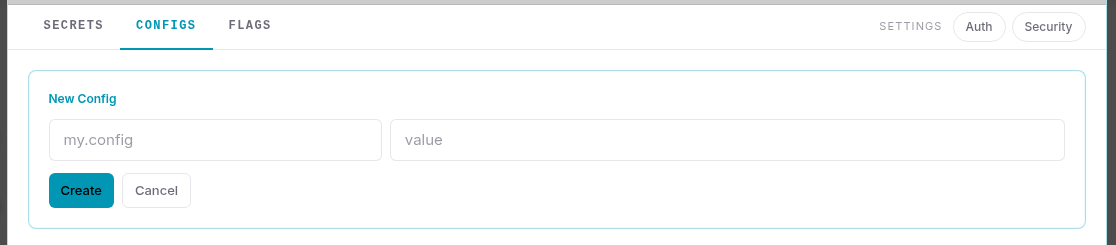
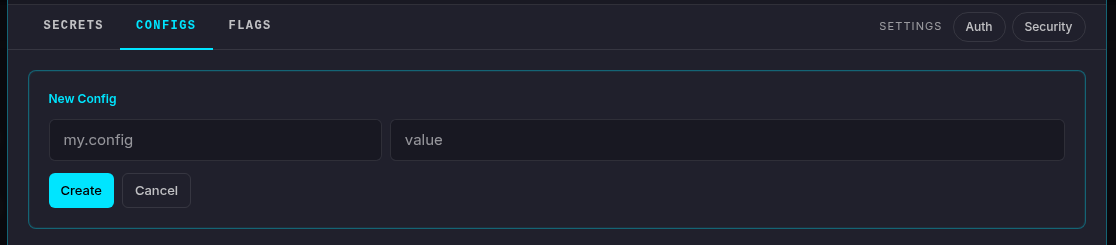 Fill in the fields:
| Field | Description |
| --------- | --------------------------------------------------------------------------------------------------------------------------------- |
| **Key** | Identifier used to read the value in your code (e.g. `database.host`, `api.timeout_ms`) |
| **Value** | The config value, entered as JSON: `"text"` for strings, `42` for numbers, `true` / `false` for booleans, `{"k":"v"}` for objects |
Click **Create**.
The config appears in the list with its key, type, and current value. Click the **edit icon** to update the value at any time - changes propagate to all connected SDK clients within milliseconds, no restart required.
## Template references
Config values can embed secrets and feature flags using `{{...}}` syntax:
| Syntax | Resolves to |
| ---------------- | --------------------------------------------------- |
| `{{secret:KEY}}` | Current value of the named secret |
| `{{flag:KEY}}` | `true` or `false` - current state of the named flag |
Example:
```
database.url = postgresql://app:{{secret:DB_PASSWORD}}@db.internal:5432/mydb
```
Resolution happens server-side. The SDK receives the resolved string - the raw secret is never exposed.
## Inherited configs
Configs marked **INHERITED** come from a linked [umbrella service](/concepts/glossary#umbrella-service). To override the value for this service only, create a config with the same key - it takes precedence over the inherited one.
## Next steps
Roll out features gradually with targeting rules.
Store an encrypted value and reference it from configs.
Full reference: types, template syntax, umbrella inheritance, live updates.
Fill in the fields:
| Field | Description |
| --------- | --------------------------------------------------------------------------------------------------------------------------------- |
| **Key** | Identifier used to read the value in your code (e.g. `database.host`, `api.timeout_ms`) |
| **Value** | The config value, entered as JSON: `"text"` for strings, `42` for numbers, `true` / `false` for booleans, `{"k":"v"}` for objects |
Click **Create**.
The config appears in the list with its key, type, and current value. Click the **edit icon** to update the value at any time - changes propagate to all connected SDK clients within milliseconds, no restart required.
## Template references
Config values can embed secrets and feature flags using `{{...}}` syntax:
| Syntax | Resolves to |
| ---------------- | --------------------------------------------------- |
| `{{secret:KEY}}` | Current value of the named secret |
| `{{flag:KEY}}` | `true` or `false` - current state of the named flag |
Example:
```
database.url = postgresql://app:{{secret:DB_PASSWORD}}@db.internal:5432/mydb
```
Resolution happens server-side. The SDK receives the resolved string - the raw secret is never exposed.
## Inherited configs
Configs marked **INHERITED** come from a linked [umbrella service](/concepts/glossary#umbrella-service). To override the value for this service only, create a config with the same key - it takes precedence over the inherited one.
## Next steps
Roll out features gradually with targeting rules.
Store an encrypted value and reference it from configs.
Full reference: types, template syntax, umbrella inheritance, live updates.