> ## Documentation Index
> Fetch the complete documentation index at: https://docs.westyx.cloud/llms.txt
> Use this file to discover all available pages before exploring further.
# Create a feature flag
> Add a feature flag to your service and optionally configure gradual rollout or targeting rules.
Feature flags let you roll out changes gradually, run A/B experiments, and target specific users or environments - all without redeploying. Each flag is a named boolean that your SDK resolves at runtime.
## Steps
Navigate to your project, click on your service, and select the **Flags** tab.
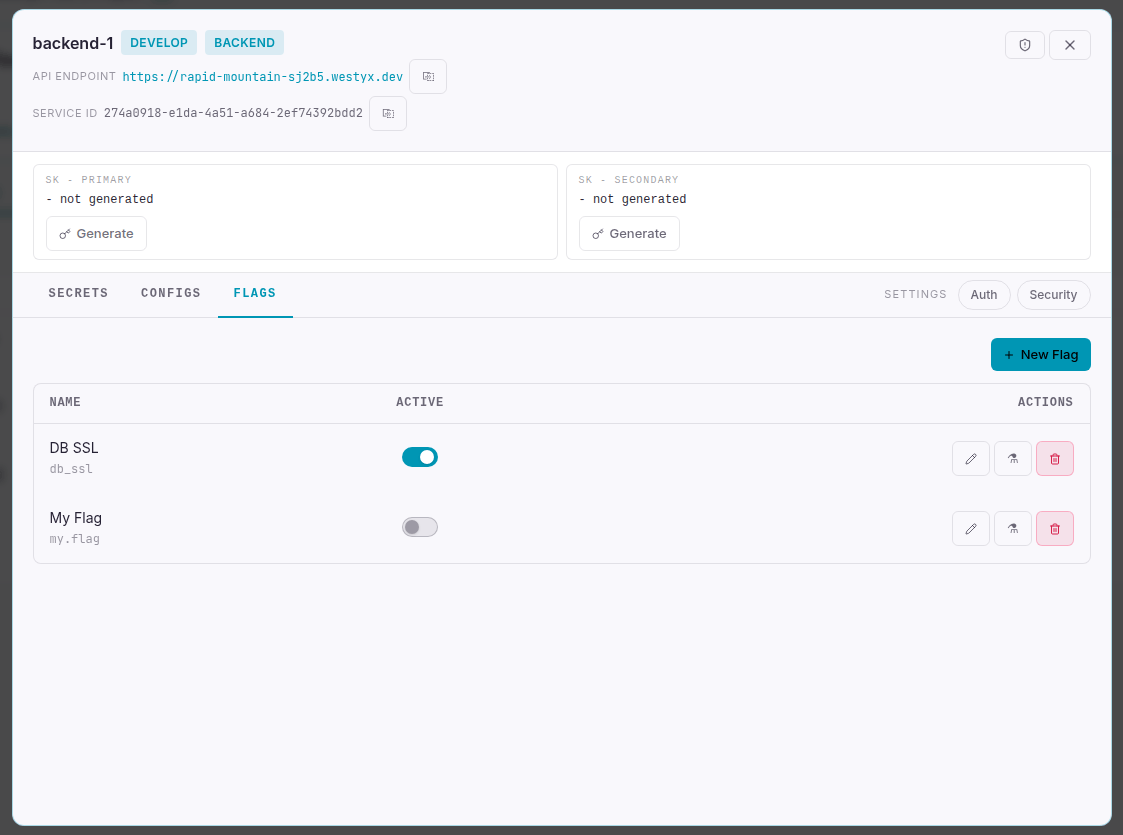
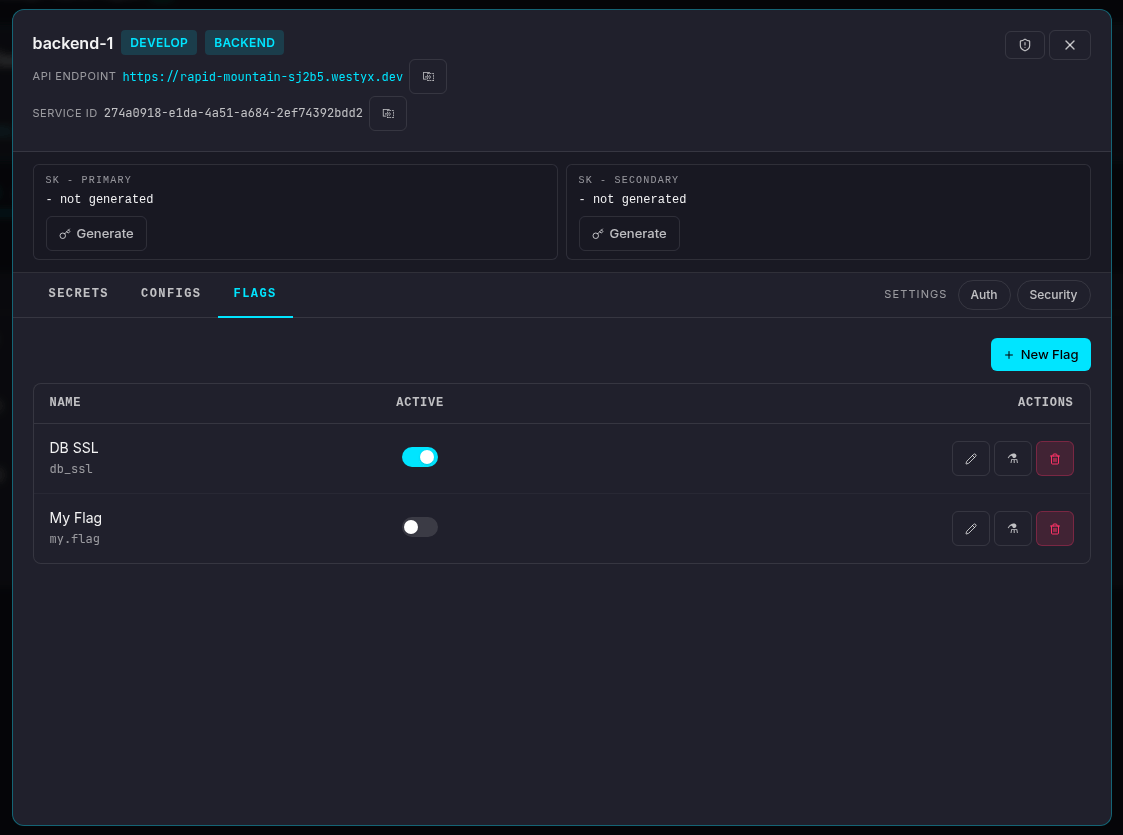 Click **+ New Flag**. A form appears at the top of the list.
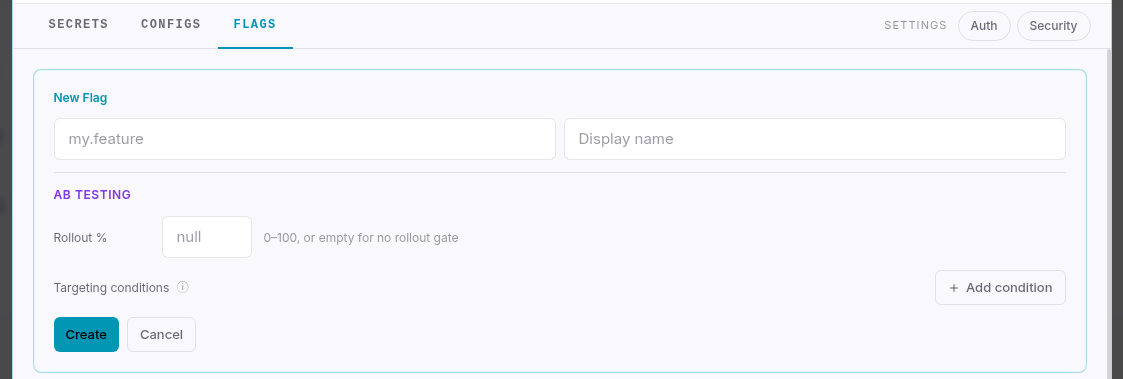
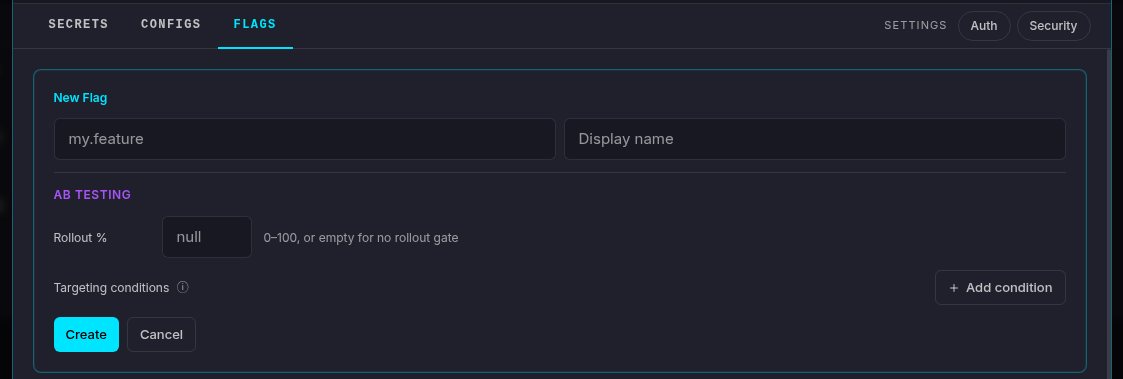 Fill in the fields:
| Field | Required | Description |
| ---------------- | -------- | ----------------------------------------------------------------------------------------------------------------------------------------------- |
| **Key** | Yes | Machine-readable identifier used in your code (e.g. `new.checkout`, `db.ssl`). Dot-separated notation is recommended. Immutable after creation. |
| **Display name** | No | Human-friendly label shown in the console. The key is shown below it. |
Click **Create**.
The flag appears in the list in a disabled state. Use the toggle in the **Active** column to enable or disable it at any time - changes propagate to all connected SDK clients within milliseconds, no restart required.
## Reading the flag in your SDK
All SDK clients expose a `GetFlag` / `get_flag` method that returns a boolean:
```go theme={null}
// Go
enabled := client.GetFlag("new.checkout", false)
```
```csharp theme={null}
// .NET
bool enabled = client.GetFlag("new.checkout", defaultValue: false);
```
```typescript theme={null}
// Node.js
const enabled = client.getFlag('new.checkout', false);
```
Pass a safe default value - it is returned when the flag key does not exist or the SDK has not yet synced.
## A/B Testing: rollout and targeting
The **AB Testing** section in the flag form requires the AB Testing add-on. It is included on **M tier and above**, and can be activated separately on smaller tiers.
When the add-on is active, two additional controls appear in the flag form:
### Rollout %
A number between 0 and 100. When set, the flag evaluates as `true` only for the specified percentage of users, bucketed deterministically by user ID - the same user always gets the same result.
Leave the field empty to disable rollout gating. The flag then evaluates as `true` for all users when it is enabled.
### Targeting conditions
Attribute-based rules that override rollout. Each condition compares a user attribute against a value:
| Field | Description |
| ------------- | --------------------------------------------------------------------------------------------------- |
| **Attribute** | Name of the user attribute passed to the SDK at evaluation time (e.g. `country`, `plan`, `user_id`) |
| **Operator** | `eq` (equals), `neq` (not equals), `in` (value is in a comma-separated list) |
| **Value** | The comparison value. For `in`, use comma-separated values: `beta,internal,preview` |
All conditions are **AND-ed** - a user must match every condition for the flag to evaluate as `true`. Targeting conditions take **priority over rollout %**: if a user matches all conditions they always get `true`, regardless of the rollout bucket.
Click **+ Add condition** to add a rule. Click **✕** next to any row to remove it.
## Managing flags
| Action | How |
| ----------------------------- | ------------------------------------------------------------------------------------------- |
| Enable / disable | Click the toggle in the **Active** column |
| Edit key, name, or A/B config | Click the **pencil icon** |
| Test evaluation for a user | Click the **flask icon** - enter a user ID and attributes to see what the flag would return |
| Delete | Click the **trash icon** |
Deleting a flag is permanent. SDK clients that call `GetFlag` for the deleted key will return the default value you supplied in your code.
## Inherited flags
Flags marked with **⛱** are inherited from a linked [umbrella service](/concepts/glossary#umbrella-service). They cannot be edited or deleted from this service - manage them on the umbrella service instead.
## Next steps
Full reference: evaluation order, targeting, umbrella inheritance, SDK integration.
Store non-sensitive key-value settings that can reference flags.
Store an encrypted value for use in configs or directly in your code.
Fill in the fields:
| Field | Required | Description |
| ---------------- | -------- | ----------------------------------------------------------------------------------------------------------------------------------------------- |
| **Key** | Yes | Machine-readable identifier used in your code (e.g. `new.checkout`, `db.ssl`). Dot-separated notation is recommended. Immutable after creation. |
| **Display name** | No | Human-friendly label shown in the console. The key is shown below it. |
Click **Create**.
The flag appears in the list in a disabled state. Use the toggle in the **Active** column to enable or disable it at any time - changes propagate to all connected SDK clients within milliseconds, no restart required.
## Reading the flag in your SDK
All SDK clients expose a `GetFlag` / `get_flag` method that returns a boolean:
```go theme={null}
// Go
enabled := client.GetFlag("new.checkout", false)
```
```csharp theme={null}
// .NET
bool enabled = client.GetFlag("new.checkout", defaultValue: false);
```
```typescript theme={null}
// Node.js
const enabled = client.getFlag('new.checkout', false);
```
Pass a safe default value - it is returned when the flag key does not exist or the SDK has not yet synced.
## A/B Testing: rollout and targeting
The **AB Testing** section in the flag form requires the AB Testing add-on. It is included on **M tier and above**, and can be activated separately on smaller tiers.
When the add-on is active, two additional controls appear in the flag form:
### Rollout %
A number between 0 and 100. When set, the flag evaluates as `true` only for the specified percentage of users, bucketed deterministically by user ID - the same user always gets the same result.
Leave the field empty to disable rollout gating. The flag then evaluates as `true` for all users when it is enabled.
### Targeting conditions
Attribute-based rules that override rollout. Each condition compares a user attribute against a value:
| Field | Description |
| ------------- | --------------------------------------------------------------------------------------------------- |
| **Attribute** | Name of the user attribute passed to the SDK at evaluation time (e.g. `country`, `plan`, `user_id`) |
| **Operator** | `eq` (equals), `neq` (not equals), `in` (value is in a comma-separated list) |
| **Value** | The comparison value. For `in`, use comma-separated values: `beta,internal,preview` |
All conditions are **AND-ed** - a user must match every condition for the flag to evaluate as `true`. Targeting conditions take **priority over rollout %**: if a user matches all conditions they always get `true`, regardless of the rollout bucket.
Click **+ Add condition** to add a rule. Click **✕** next to any row to remove it.
## Managing flags
| Action | How |
| ----------------------------- | ------------------------------------------------------------------------------------------- |
| Enable / disable | Click the toggle in the **Active** column |
| Edit key, name, or A/B config | Click the **pencil icon** |
| Test evaluation for a user | Click the **flask icon** - enter a user ID and attributes to see what the flag would return |
| Delete | Click the **trash icon** |
Deleting a flag is permanent. SDK clients that call `GetFlag` for the deleted key will return the default value you supplied in your code.
## Inherited flags
Flags marked with **⛱** are inherited from a linked [umbrella service](/concepts/glossary#umbrella-service). They cannot be edited or deleted from this service - manage them on the umbrella service instead.
## Next steps
Full reference: evaluation order, targeting, umbrella inheritance, SDK integration.
Store non-sensitive key-value settings that can reference flags.
Store an encrypted value for use in configs or directly in your code.