
Steps
1
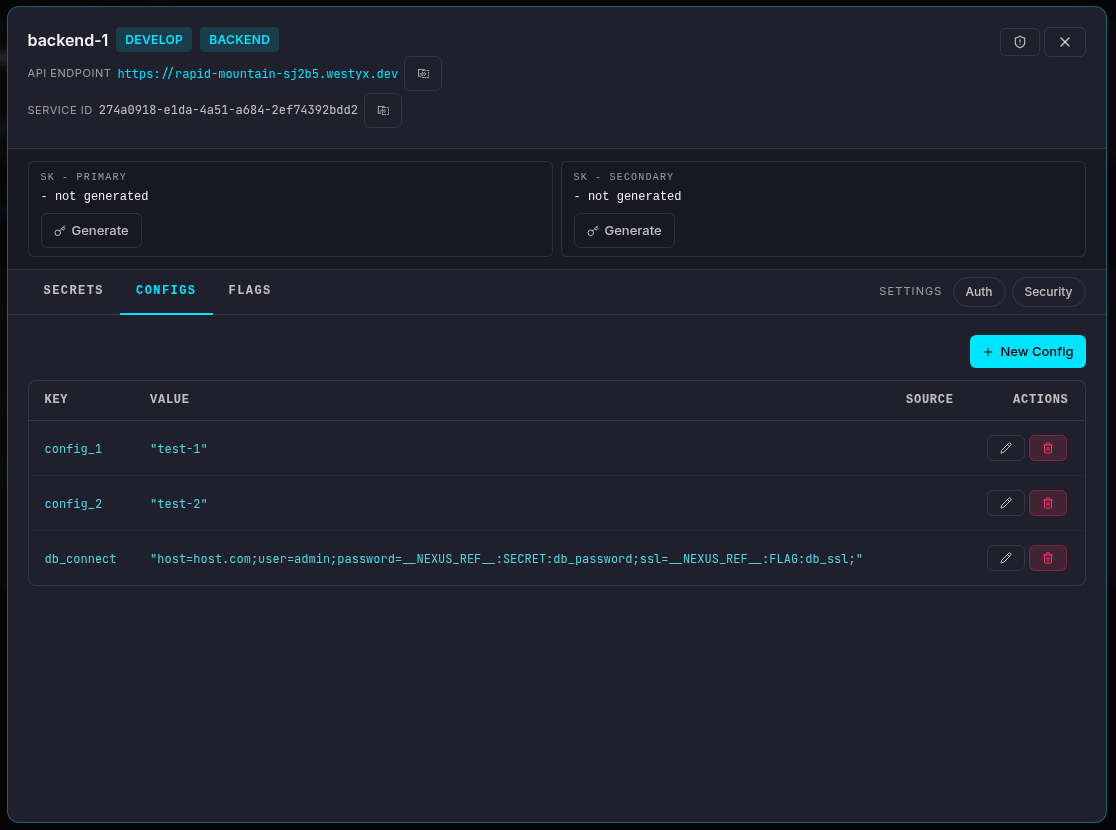
Open your service
Navigate to your project, click on your service, and select the Configs tab.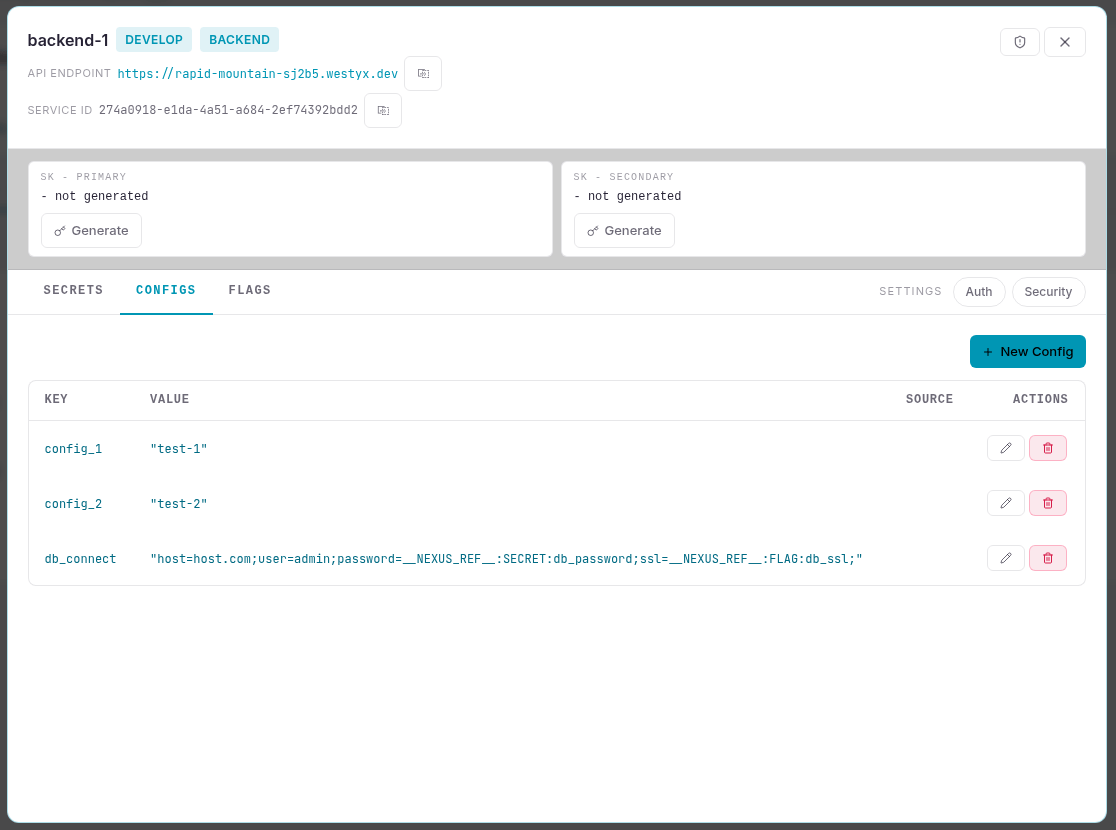
2
Create a new config
Click + New Config. A form appears at the top of the list.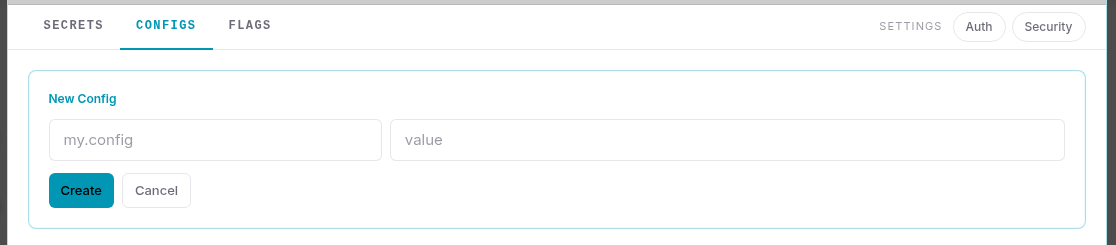
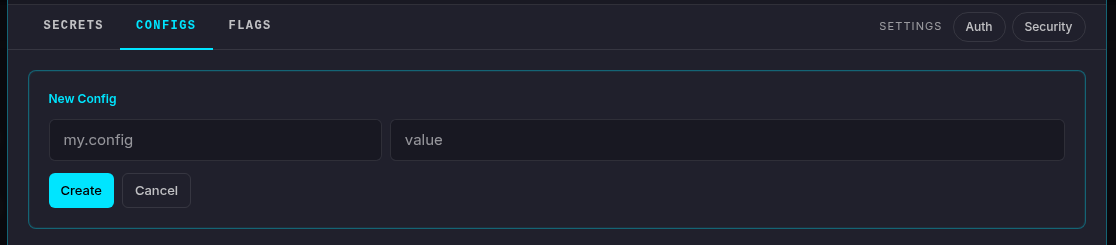
Click Create.
3
Config is created
The config appears in the list with its key, type, and current value. Click the edit icon to update the value at any time - changes propagate to all connected SDK clients within milliseconds, no restart required.
Template references
Config values can embed secrets and feature flags using{{...}} syntax:
Example:
Inherited configs
Configs marked INHERITED come from a linked umbrella service. To override the value for this service only, create a config with the same key - it takes precedence over the inherited one.Next steps
Create a feature flag
Roll out features gradually with targeting rules.
Create a secret
Store an encrypted value and reference it from configs.
Configs reference
Full reference: types, template syntax, umbrella inheritance, live updates.